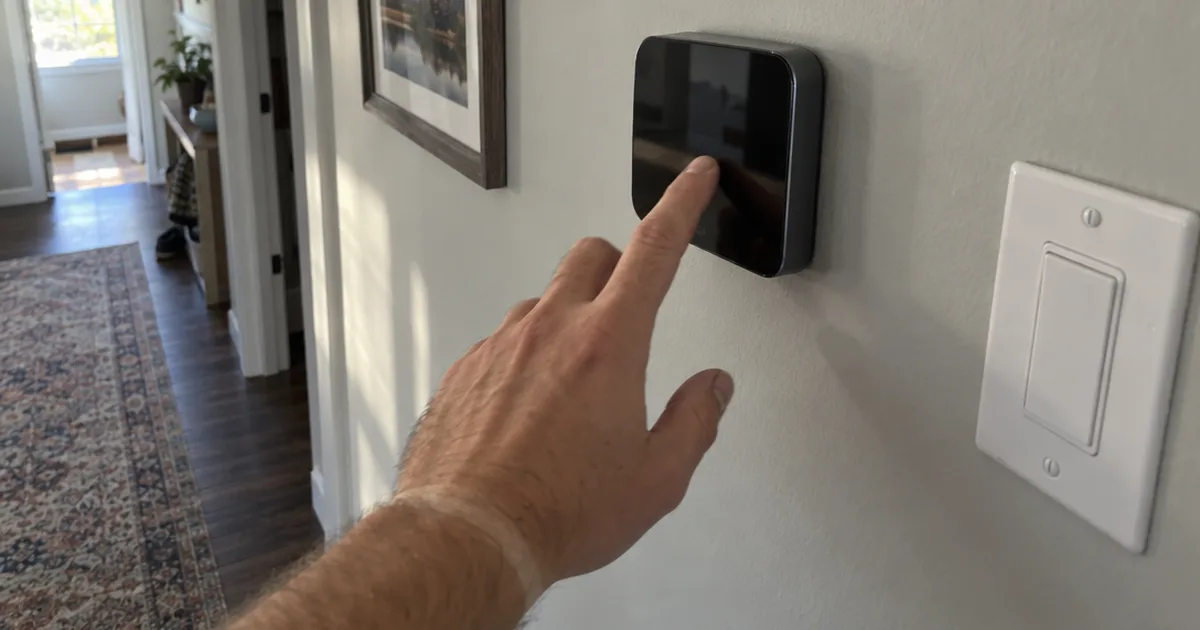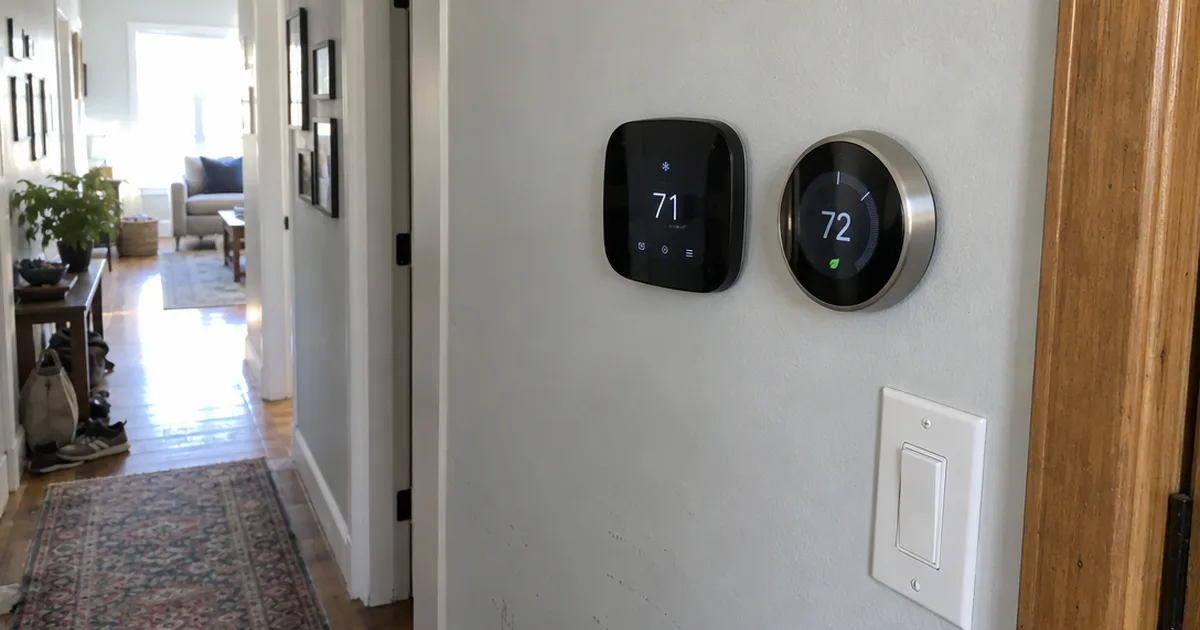
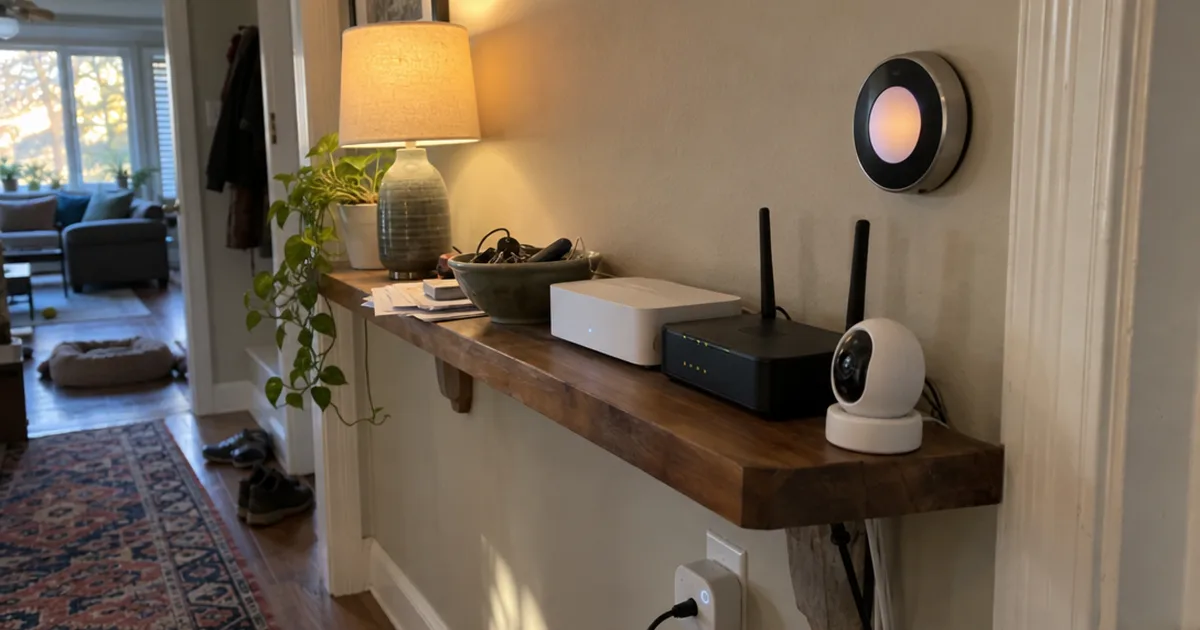
The top-ranked list for this search still recommends 2018 gear.
When we checked its 10 top picks on Amazon in November 2026, 7 of them didn’t turn up at all.
So this list starts over. These are the 10 best home automation devices you can still buy, each matched to the home it fits and the hub or app it needs.
Every pick below works with at least one of the big platforms: Amazon Alexa, Google Home or Apple Home. Most work with two or three.
Not sure where to start?
- Renting or nervous about wiring? Grab #4 and plug it in tonight.
- Living in an Alexa house already? #7 runs from the Alexa app you have.
- Fed up with apps that die when the internet drops? #2 and #6 keep your rules running at home.
Quick Comparison Chart
| # | Product | Our Rating | |
|---|---|---|---|
| 1 | Google Nest Learning Thermostat (4th Gen) | ★★★★★ | Check Price |
| 2 | Home Assistant Green | ★★★★★ | Check Price |
| 3 | Arlo Pro Wireless Security Camera (6th Gen) | ★★★★☆ | Check Price |
| 4 | TP-Link Tapo P125M Matter Smart Plug Mini | ★★★★☆ | Check Price |
| 5 | Lutron Caseta Smart Hub | ★★★★☆ | Check Price |
| 6 | Hubitat Elevation C-8 Pro | ★★★★☆ | Check Price |
| 7 | Amazon Smart Thermostat | ★★★★☆ | Check Price |
| 8 | Samsung SmartThings Hub (3rd Gen) | ★★★★☆ | Check Price |
| 9 | Google Nest Temperature Sensor (2nd Gen) | ★★★★☆ | Check Price |
| 10 | Kasa Smart Plug HS103P4 | ★★★★☆ | Check Price |
Picking the Right Home Automation Devices
Each pick had to do 3 things: work with Alexa, Google Home or Apple Home, solve one everyday job on its own, and list its features plainly on its Amazon page.
We then ranked them by how much of a typical home each one improves, so the climate, control and security devices come first. The full method sits after the list.
1. Google Nest Learning Thermostat (4th Gen)
Google Nest Learning Thermostat (4th Gen)
A learning smart thermostat with a Nest Temperature Sensor in the box, Matter support and no C wire needed in most homes.
Pros
- Works with most 24V systems, including heat pumps
- Includes a Nest Temperature Sensor (2nd gen)
- Asks before it changes your schedule
- 60% larger display than the previous model
Cons
- Needs wall wiring, so renters need permission
- Learning features live in the Google Home app
Your heating and cooling is the one system you use every single day, which is why a smart thermostat earns the top spot.
Google says the Nest Learning Thermostat (4th gen) can help save up to 31% on heating and cooling bills, according to its Amazon listing. That figure is the maker’s claim, so treat it as a best case rather than a promise.
Best for: homeowners who want one device that automates comfort and works with Alexa, Apple Home and Google Home. Skip it if you rent and can’t touch the wall wiring.
What makes it a strong first buy is how little it asks of you.
The listing says it works with most 24V systems, including gas, electric, oil, forced air, heat pump and radiant heat. It also says no C wire is required in most homes.
If yours is an exception, there are 5 ways to power a thermostat without one.
The listing also calls it easy to install yourself, which matters if you’d rather skip a service call.
The box also includes a Nest Temperature Sensor (2nd gen). You put it in the room you care about most, such as a bedroom, and tell it to hit a temperature there at a set time of day.
The learning part has changed too. Instead of quietly rewriting your schedule, it now asks your permission before it makes a change, and you approve it with a tap in the Google Home app.
It also learns how the weather outside affects your rooms. When the afternoon sun is already warming the house, it can pause the system instead of running it.
Control is flexible, too. The listing says you can adjust it from your smartphone anywhere, or by voice through an Alexa, Siri or Google Assistant smart speaker.
The display is 60% larger than before and uses what Google calls Dynamic Farsight. It shows a clock or the weather that you can read from across the room, and it adjusts its own brightness.
How does it compare with #7?
The Amazon Smart Thermostat needs a C wire and lives inside the Alexa app. The Nest skips the C wire in most homes and talks to all three major platforms, plus Matter.
Still weighing Nest against ecobee? The two differ most on room sensors and HomeKit support, so compare those before you buy.
Key Takeaway: If you only buy one smart device this year, make it this one, because it automates a system you already run all day.
2. Home Assistant Green
Home Assistant Green
Official Home Assistant hardware from Nabu Casa that runs your whole smart home locally and keeps your data in the house.
Pros
- Plug in power and Ethernet to start
- Quad-core processor, 32GB storage, 4GB RAM
- Uses only a couple of watts of power
- Expands with Z-Wave, Zigbee and Thread USB devices
Cons
- Zigbee, Z-Wave and Thread need a USB add-on
- More settings to learn than an app-based hub
A smart home hub is the box that makes devices from different brands work as one system. Home Assistant Green is the easiest way to get Home Assistant, the open-source platform that runs a whole smart home on your own hardware.
Best for: anyone with devices from 3 or more brands who wants them in one app and wants their data to stay at home. Skip it if you’d rather never touch a settings screen.
Setup is simpler than most people expect.
The Amazon listing says it comes with Home Assistant already installed, so you plug in the included power supply and Ethernet cable and start from there. It’s built and supported by Nabu Casa, the team behind Home Assistant itself.
Inside is a quad-core processor with 32GB of storage and 4GB of RAM. It’s fanless, so it runs silently on a shelf next to your router.
The listing gives a feel for what it automates: lights that dim when you start a movie, or heat that turns off when you leave home.
Here’s the big difference from a cloud hub:
Your home’s data stays on the Green. The listing says you can view, share and export that data wherever you want, and the box draws only a couple of watts of power.
The catch is radios. On its own, the Green connects to Wi-Fi and network devices, so Zigbee, Z-Wave or Thread gear needs a USB add-on, which the listing confirms it supports.
Plan for that before you buy a pile of sensors, because Zigbee and Z-Wave devices each need their own radio.
So how does it compare with #6? Hubitat builds the radios into the box and gives you a simpler rule builder, while the Green gives you more integrations and more room to tinker.
Tempted to run it on a Raspberry Pi instead? The Green trades that tinkering for a box that works out of the package.
Either way, the software is the same, and Home Assistant itself is what you’ll learn day to day.
Bottom line: buy the Green when you’ve outgrown juggling five apps, not as your very first device.
3. Arlo Pro Wireless Security Camera (6th Gen)
Arlo Pro Wireless Security Camera (6th Gen)
A 2-camera pack of wire-free 2K HDR outdoor cameras with a spotlight, color night vision and swappable batteries.
Pros
- Color night vision with a built-in spotlight
- 2-way audio, 12x zoom and remote siren
- Works with Alexa, Apple Home, Google Home and SmartThings
- Live view and basic alerts work without a plan
Cons
- 60-day history and AI alerts need a paid plan
- Batteries need recharging or swapping
Most people buy a security device for peace of mind, and this one needs no wires at all.
Best for: homeowners who want outdoor coverage of doors, yards and driveways without running cable. Skip it if you refuse any subscription, because the best features sit behind one.
The Amazon listing describes 2K HDR video with a 160-degree field of view, color night vision, an integrated spotlight and 2-way audio. You also get 12x zoom and a siren you can trigger from the Arlo Secure app.
Each unit runs on a rechargeable, swappable battery. That means you can mount it anywhere with a Wi-Fi signal, and the dual-band Wi-Fi picks the stronger connection.
Here’s what the subscription actually covers:
The listing says a paid plan is required after the trial for 60-day video history, AI detection and emergency response. Live streaming and basic alerts work without a subscription.
So without the plan, you can watch live and get motion alerts, but you lose recorded history and smarter person or vehicle alerts. If that’s a deal-breaker, there are outdoor cameras without a subscription that store video locally.
The real value is in its connections. It works with Alexa, Apple Home and Google Home, and also with Samsung SmartThings and IFTTT.
For example, you can set a routine that turns on your porch lights when it spots motion after dark.
The paid plan adds 2 more tools worth knowing about. AI-generated captions summarize each event, and a keyword search helps you find a clip, such as a vehicle in the driveway.
It also lets you trigger emergency response from the app. The listing says that contacts police, fire or medical services tied to its location, with details filled in for you.
That’s the difference from a video doorbell. A doorbell watches one spot at the door, while this 2-camera pack can cover the driveway and the back yard too.
Key Takeaway: Buy the Arlo for its wireless placement and integrations, and decide up front whether you’ll pay for recorded history.
4. TP-Link Tapo P125M Matter Smart Plug Mini
TP-Link Tapo P125M Matter Smart Plug Mini
A compact Matter smart plug 3-pack that works with Apple Home, Alexa, Google Home and SmartThings.
Pros
- Works with all major smart home platforms
- Local control when the internet is down
- Compact design leaves the second outlet free
- UL certified with a 2-year limited warranty
Cons
- 2.4GHz Wi-Fi only
- No energy monitoring listed
A smart plug is the simplest, lowest-risk way to get started. This one adds Matter, which is what lands it this high.
Best for: beginners, renters and anyone who wants a first device that works with every major platform. Skip it if your router only broadcasts 5GHz Wi-Fi, because the plug is 2.4GHz only.
Matter is a shared smart home standard, so one certified device works across platforms. The Amazon listing says the P125M works with Apple Home, Amazon Alexa, Google Home and Samsung SmartThings.
Why does that matter for you?
You’re not locked in. If you switch from an Echo to a HomePod next year, these plugs come with you.
TP-Link also says Matter devices will stay compatible with future updates, which is the maker’s promise rather than a guarantee.
There’s a second benefit that most buyers miss. The listing says Matter-certified devices on your local network keep working smoothly even when your home internet goes offline, because they talk to each other directly.
Setup uses Bluetooth onboarding, so you plug it in, open the app and follow the prompts.
The compact shape leaves the second outlet free. It’s also UL certified with a flame-retardant shell and carries a 2-year limited warranty, and it handles loads up to 15A and 1800W.
Scheduling is the feature you’ll use most. The listing suggests lamps, fans, humidifiers and Christmas lights, and each plug can work as a simple outlet timer.
Here’s a simple way to use it:
- Plug a living room lamp into the P125M.
- Set a schedule in the Tapo app to turn it on at sunset.
- Add it to Alexa, Google Home or Apple Home and say “turn on the lamp.”
That gives you a lamp that turns on before you get home, with no wiring at all. Plugs also come in outdoor and energy-monitoring versions when you need more.
Compared with #10, the Kasa HS103P4, this plug adds Apple Home support and the cross-platform flexibility of Matter. Pick the Tapo if anyone in your home uses an iPhone.
So if you’re buying your very first smart device, start here.
5. Lutron Caseta Smart Hub
Lutron Caseta Smart Hub
The hub behind Lutron Caseta dimmers and switches, using Clear Connect radio so your lights stay off busy Wi-Fi.
Pros
- Clear Connect does not compete with Wi-Fi
- Works with Alexa, HomeKit, Google, Ring and Sonos
- Plugs into an outlet and your router
- Grows from one room to the whole house
Cons
- Dimmers and switches sold separately
- Switch installs involve wall wiring
Lighting is where home automation feels like magic, and Lutron Caseta is the system built around real wall switches.
Best for: homeowners who want smart lights that still work from the wall, for the whole family. Skip it if you rent and can’t swap switches.
The hub is the brain of the system. On its own it controls nothing, since Caseta dimmers and switches are sold separately.
Why pick it over smart bulbs? There are 2 good reasons.
The Amazon listing says the hub uses Clear Connect technology, which does not interfere or compete with your Wi-Fi devices. That keeps your lights off a crowded Wi-Fi network.
It also connects to a long list of platforms. The listing names Amazon Alexa, Apple HomeKit, Google Assistant, Ring, Serena shades and Sonos.
One hub supports up to 75 Caseta devices, according to the listing. So you can start with one room and expand at your pace.
Setup is plain: plug the hub into an outlet, connect it to your router and follow the Lutron app.
The listing even says it can stand in for a Wink hub. That’s one of the 2018-era hubs the older lists for this search still recommend.
The switches themselves do take some wiring work. If you’re unsure about line voltage, flip the breaker and call an electrician.
How does it compare with smart bulbs? A smart bulb stops being smart the moment someone flips its wall switch off, while a Caseta dimmer replaces the switch, so the light always responds.
Caseta is one of several types of lighting control, from plain smart bulbs to whole-home systems.
Key Takeaway: Choose Caseta when you want smart lighting that everyone in the house can use without an app.
6. Hubitat Elevation C-8 Pro
Hubitat Elevation C-8 Pro
A local smart home hub with Matter 1.5, Z-Wave 800 Long Range, Zigbee 3.0 and Bluetooth radios built in.
Pros
- Automations keep running during internet outages
- Four radios in one box
- AI-assisted routine builder plus Rule Machine
- Works with Alexa, Google Home and HomeKit
Cons
- Overkill for a few Wi-Fi plugs
- Advanced rules take time to learn
Hubitat is the hub for people who want rules to run in the house, not on someone else’s server.
Best for: homes with Z-Wave and Zigbee devices that need reliable rules and no subscription. Skip it if you only own a few Wi-Fi plugs, since you won’t use its radios.
The Amazon listing says the C-8 Pro runs automations directly on the hub, not on remote servers. So lights, locks, thermostats and routines keep working even when your internet goes down.
That local design also means a near-instant response to each trigger.
Here’s the radio lineup, according to the listing:
- Matter 1.5
- Z-Wave 800 Series with Long Range
- Zigbee 3.0
- Bluetooth
That covers almost every device protocol in one box. It also works with Amazon Alexa, Google Home and Apple HomeKit, so your voice assistant stays in the picture.
Building rules is easier than it used to be.
An AI-assisted routine builder suggests routines based on your devices. Rule Machine then handles rules with several conditions, such as lighting scenes, geofenced arrivals and layered security responses, according to the listing.
The listing also says full functionality needs no recurring subscription, and the platform has received updates since 2018.
Those updates have added compatibility without new hardware, according to the listing. So the box you buy now should keep gaining device support.
Pick the Hubitat if you want built-in Z-Wave and Zigbee radios and a hub that behaves like an appliance. Pick Home Assistant Green if you want the widest set of integrations and don’t mind tinkering.
In other words, the Hubitat suits the person who wants rules that just run, year after year.
7. Amazon Smart Thermostat
Amazon Smart Thermostat
An Alexa-run smart thermostat made with Honeywell Home technology, with guided installation in the Alexa app.
Pros
- Alexa switches home, away and sleep temperatures
- Comfort zones with select Echo devices
- Step-by-step installation in the Alexa app
- Control from anywhere in the Alexa app
Cons
- C wire required
- No Apple Home or Google Home support listed
If your home already runs on Alexa, this model fits right in.
Best for: Alexa households whose wiring already includes a C wire. Skip it if you have no C wire or use Apple Home.
The C wire is the big dividing line. The Amazon product title says it plainly: C-wire required.
A C wire, or common wire, is the wire that supplies constant power from your heating and cooling system.
If your wall has none, look at #1 or these thermostats that work without a C wire.
Everything runs through the Alexa app. The listing says Alexa can automatically switch between your home, away and sleep temperatures, and you can set the temperature from anywhere.
It also says the Alexa app guides you through installation step by step.
One feature is easy to miss.
The listing describes comfort zones you can create by using select Echo devices or the Amazon Smart Air Quality Monitor. They adjust heating and cooling based on temperature readings or presence detection in other rooms.
The listing adds that it’s made with Honeywell Home technology.
There’s one more perk after you buy. The listing says Amazon will email you details about rebates that may be available from energy providers in your area.
Compared with #1, this is the simpler, Alexa-only choice. The Nest works with more platforms and skips the C wire in most homes, while this one keeps everything inside Alexa.
Owner reports on how this model holds up are worth a read before you order.
Building a whole Alexa setup? Plenty of Alexa-compatible devices fill the gaps, and a parent or grandparent may do better with thermostats for seniors that have bigger, simpler controls.
Bottom line: if you have a C wire and an Echo, this is the most natural fit.
8. Samsung SmartThings Hub (3rd Gen)
Samsung SmartThings Hub (3rd Gen)
A SmartThings hub that bridges Zigbee, Z-Wave and cloud-connected devices into one smartphone app.
Pros
- Connects Zigbee and Z-Wave devices
- Works with Alexa and Google Home
- Automates devices when doors open or people arrive
Cons
- Older design than newer local hubs
- Leans on the cloud and the SmartThings app
This hub bridges Zigbee and Z-Wave devices into the SmartThings app, which makes it the natural add-on for an existing SmartThings home.
Best for: Samsung phone owners and anyone who already has SmartThings sensors. Skip it if you’re starting fresh, since #6 lists Matter support and #2 adds Thread through USB.
The Amazon listing describes a hub that supports Zigbee, Z-Wave and cloud-to-cloud connections. It’s compatible with Alexa and Google Home.
What does that mean in practice?
You monitor and control compatible devices from a single smartphone app. The listing says you can automate devices to turn on or off when doors open or when people come and go.
That’s the classic hub job. A door sensor opens, and the hall light turns on.
The catch is Matter. Newer hubs such as #6 list it, but the listing for this one doesn’t mention it, so check that the devices you plan to add list SmartThings support.
Before you order, check what still works on the v3 hub with current SmartThings apps.
Compared with #6, the SmartThings hub leans on the cloud and the SmartThings app, while the Hubitat runs its rules locally. If local control matters more to you than a familiar app, go with the Hubitat.
So buy this hub to grow an existing SmartThings setup, not to start a new one.
9. Google Nest Temperature Sensor (2nd Gen)
Google Nest Temperature Sensor (2nd Gen)
A battery-powered room sensor that tells a Nest thermostat what temperature a specific room should reach.
Pros
- Fixes hot and cold rooms
- Works with Nest Learning Thermostat 3rd and 4th gen
- Place on a shelf or mount on a wall
Cons
- Only works with compatible Nest thermostats
- The 4th gen thermostat already includes one
Hot bedroom, cold office? This small sensor fixes the classic problem of a wall unit that reads only the hallway.
Best for: Nest owners with rooms that never feel right. Skip it if the unit on your wall isn’t a compatible Nest.
The Amazon listing says it works with the Nest Learning Thermostat (4th gen), the Nest Learning Thermostat (3rd gen) and the Nest Thermostat E. Other models need a compatibility check first.
Here’s how it works:
You place the sensor in a room and use the Google Home or Nest app to set the temperature that room should reach at a certain time of day. The listing says you can place sensors in up to six rooms.
You can prioritize one room or create an average across several, such as all the bedrooms.
The battery lasts up to 3 years, according to the listing. So you can set it on a shelf or mount it on a wall and forget about it.
Note: #1 already includes one of these sensors in the box. Buy extras only for additional rooms.
Not on Nest? Standalone smart temperature sensors work with other platforms, and leak, motion and contact sensors round out a full sensor setup.
In other words, this is the simplest way to make a Nest smarter about the rooms you actually use.
10. Kasa Smart Plug HS103P4
Kasa Smart Plug HS103P4
A 4-pack of Wi-Fi smart plugs for Alexa and Google Assistant with schedules, timers and no hub required.
Pros
- Schedules, timers and countdowns in the Kasa app
- Control from anywhere
- UL certified, 15-amp rating
- Four plugs cover several rooms at once
Cons
- No Apple Home support listed
- 2.4GHz Wi-Fi required
Need several plugs at once? This 4-pack is the straightforward choice for Alexa and Google homes.
Best for: Alexa or Google Assistant households automating lamps, fans and holiday lights in several rooms. Skip it if you use Apple Home, since the listing names Alexa and Google Assistant only.
The Amazon listing says you control the plugs from anywhere with the Kasa app, and no hub is required.
Scheduling is where these earn their place. You can set timers or countdowns to turn lamps, fans, humidifiers or Christmas lights on and off automatically.
Kasa says the plugs are trusted by over 5 million users, and the listing notes they were the PCMag reader’s choice for 2020. They’re also UL certified for safe use.
The setup needs a 2.4GHz Wi-Fi connection: plug in, open the Kasa app and follow the instructions.
The listing says the plugs work with phones on Android 5.0 or higher and iOS 10.0 or higher, so almost any phone in the house can run them.
So how does it compare with #4?
The Tapo P125M adds Matter and Apple Home. The Kasa 4-pack covers more outlets and stays with the Alexa and Google setup you already have.
Curious whether plugs like these actually save energy? The answer depends on what’s plugged in and how long it sits idle.
A 4-pack also splits nicely into smart home gifts for friends who are new to smart homes.
The takeaway: pick the Kasa 4-pack when you want several rooms automated at once and nobody in the house needs Apple Home.
Where to Start With Smart Home Security
Smart home security starts best with an outdoor camera and a door sensor. The Arlo Pro Wireless Security Camera (6th Gen) covers the yard and driveway, and a door sensor on a hub such as the Hubitat C-8 Pro or SmartThings Hub tells you the moment a door opens.
Together, those 2 devices answer the questions most people actually have: who’s outside, and did anyone come in?
The hub is what turns them into a system. The SmartThings listing says you can set devices to turn on or off when doors open or people come and go, such as lighting the hallway when the front door opens.
Hubitat goes further with layered rules. For instance, one rule could turn on every light and sound a siren only when a door opens while the house is set to away.
Want video at the front door as well? If a video doorbell and the Arlo work with the same platform, such as Alexa, their alerts land in one app.
Note: Smart smoke, CO and leak sensors add to the alarms your building code requires. They don’t replace them or professional monitoring.
So build security in this order: camera first, door sensors second, and a hub once you want the two to react together.
Do You Need a Hub for Home Automation?
No, home automation doesn’t need a hub to start. Wi-Fi smart devices such as the Tapo P125M and Kasa HS103P4 plugs connect straight to your router and run from apps like Alexa and Google Home.
A hub starts paying off when you own devices from several brands, or devices that use Zigbee or Z-Wave instead of Wi-Fi.
Here’s a simple rule:
- 1 to 5 Wi-Fi devices from 1 or 2 brands: skip the hub and use your voice assistant app.
- Zigbee or Z-Wave sensors, locks or switches: you need a hub with those radios, such as #6 or #8.
- A whole home of mixed brands where you want local control: choose #2 or #6.
Which home automation hub is best? For most people who need one, Home Assistant Green (#2) is the most flexible.
The Hubitat Elevation C-8 Pro (#6) is the simpler local hub with radios built in.
Take a typical starter setup.
Say you own an Echo speaker, 4 Kasa plugs and a Nest thermostat. In this made-up case, all of it already runs from the Alexa app, so a hub would add nothing yet.
Now add 3 Zigbee door sensors, and you need a hub with a Zigbee radio to connect them.
Before you buy a hub, check what you already own, since a Smart Home Hub is only worth it when it connects something your phone apps can’t.
There’s a full comparison of 5 hubs if you want to go deeper.
Should You Buy Matter Devices?
Yes, buy Matter smart home devices for any new purchase. A Matter device such as the Tapo P125M plug works across Apple Home, Amazon Alexa, Google Home and Samsung SmartThings, so you can change platforms later without replacing it.
The Tapo listing adds a second reason: Matter devices on your local network keep working when your home internet goes offline, because they talk to each other directly.
Plain Wi-Fi gear that relies on a cloud server for every command can’t promise that.
The Nest Learning Thermostat (#1) is Matter compatible too, according to its listing, and the Hubitat C-8 Pro (#6) supports Matter 1.5.
How do you spot a Matter device? Check the product title and listing: the Tapo P125M names Matter in its title, and the Nest listing calls the 4th gen model Matter compatible.
That said, don’t throw out working devices just to get Matter. A Kasa plug that already does its job in Alexa is fine where it is.
The standard is simpler than it sounds once you see how Matter works behind the scenes.
Which Devices Keep Working Without Internet?
Smart home devices that run locally keep working when your internet drops. On this list, those are the Hubitat Elevation C-8 Pro, Home Assistant Green and Matter devices such as the Tapo P125M plug.
The Hubitat listing says its automations run on the hub, so lights, locks, thermostats and routines keep going during an outage. Home Assistant Green keeps your home’s data on the device itself.
Cloud devices are different. A device that only works through its maker’s app usually loses remote control until the connection returns.
Picture a real outage.
Say a storm knocks out your internet at 8 p.m. In this made-up case, a local hub still fires your “lights on at sunset” rule.
A cloud-only device, on the other hand, may stop responding to your phone until the connection comes back.
So if outages are common where you live, build around a local hub and Matter or Zigbee devices.
What Should You Buy First?
The first smart home device to buy is one that fixes a daily annoyance, usually a smart plug such as the Tapo P125M or a smart thermostat such as the Google Nest Learning Thermostat (4th Gen). Add a hub only once you own devices from 3 or more brands.
This buying order suits most homes:
- A smart plug (#4 or #10) to learn schedules and voice control.
- A smart thermostat (#1 or #7) for the system you run every day.
- Lighting control (#5) or a camera (#3), depending on whether comfort or security matters more.
- A hub (#2 or #6) once you’re juggling several apps.
A plug comes first because it teaches you schedules, voice commands and routines with nothing to install.
That order keeps your first purchases small and teaches you what you actually use. A 10-step setup plan helps with network prep and device names before you buy.
Setting things up for an older relative? Some devices for seniors put voice control and simple alerts first.
Alexa, Google Home or Apple Home?
The best smart home system for Apple users is Apple Home, built from devices that list Apple Home or Matter support. Everyone else should pick the platform their household already uses on its phones and speakers, Alexa or Google Home.
- On this list, the Apple-friendly picks are #1, #3, #4, #5 and #6, since their listings name Apple Home, HomeKit or Matter. The Amazon Smart Thermostat (#7) and the Kasa 4-pack (#10) don’t.
- Alexa households get the widest choice here: #1, #3, #4, #5, #6, #7, #8 and #10 all list Alexa support.
- Google Home households should look first at the Nest pieces, #1 and #9, which set up in the Google Home app.
- Beyond those, #3, #4, #6, #8 and #10 list Google Home or Google Assistant support, and #5 works with Google Assistant too.
Not sure which platform you already have? Check the speaker on your kitchen counter.
An Echo means Alexa, a Nest speaker means Google Home, and a HomePod means Apple Home.
Smart speakers matter here as well, because they’re often the voice of the whole system. If music is part of the plan, a wireless home sound system can double as that voice.
How Home Automations Actually Work
A home automation is a simple rule: when a trigger happens, an action follows. For example, motion on a security camera can turn your porch lights on.
The IFTTT homepage describes it the same way. It says IFTTT links two or more apps with automations called Applets, where you choose a trigger, pick an action and customize it.
The scale is bigger than most people think. The same homepage says you can connect 1,000+ services, and the Arlo (#3) lists IFTTT among its integrations.
One real example: the homepage lists a ready-made Applet to close a myQ garage door with a Siri Shortcut. If your opener isn’t online yet, connect myQ to Wi-Fi before you try it.
A few trigger-and-action rules built from this list:
- When the Arlo (#3) sees motion after dark, turn on the porch lights on a Caseta dimmer (#5).
- At sunset, switch on the living room lamp plugged into a Tapo P125M (#4).
- When someone arrives home, a geofenced rule on the Hubitat C-8 Pro (#6) turns on the hall lights.
Each of those rules needs only 2 devices and one platform they both support.
Hubs such as #2 and #6 build these rules inside your home instead of through an online service. That’s why their rules survive an internet outage.
What Else Can You Automate?
Almost any home device with a plug, a motor or a sensor can join a home automation setup. Beyond climate, lighting and security, the most common upgrades are kitchen appliances, sprinklers, robot vacuums and sensors.
Where to look next:
- Kitchen: ovens, fridges and coffee makers among the smart kitchen appliances worth connecting.
- Yard: watering schedules that skip rainy days with a smart sprinkler controller.
- Floors: scheduled cleaning with a robot vacuum.
Sensors are the quiet workhorses of any setup. A door sensor can turn on the hall light, and a leak sensor can warn you before water reaches the floor.
Each of these works best once you’ve picked your platform, so match them to Alexa, Google Home or Apple Home before you buy.
Best Picks for Renters
The best smart home devices for renters plug in, run on batteries or sit on a shelf. On this list, the Tapo P125M and Kasa HS103P4 plugs, the Arlo Pro camera and the Nest Temperature Sensor need no wiring and move with you.
Why each one suits a rental:
- The Tapo P125M (#4) and Kasa 4-pack (#10) plug into the outlets you already have.
- The Arlo (#3) runs on a rechargeable battery, so there’s no wiring to run.
- The Nest Temperature Sensor (#9) sits on a shelf, as long as the unit on the wall is a compatible Nest.
Picks #1 and #7 and the Lutron Caseta system (#5) involve wall wiring. So ask your landlord before installing any of them.
Here’s what to say: “I’d like to install a smart thermostat at my own cost and put the original back when I move out. Is that OK with you?”
Plenty of smart home devices for apartments follow the same no-drill rule.
How We Picked These Devices
We started from the pages that rank for this search and the devices they recommend, then checked each one on Amazon in November 2026. Products that no longer appeared there were dropped.
From what remained, each pick had to meet these criteria:
- Works with Amazon Alexa, Google Home or Apple Home, or with Matter.
- Solves one clear job on its own, such as climate, lighting, security or control.
- Lists its features, compatibility and requirements on its Amazon page.
- Covers a different job or a different home than the picks around it.
We don’t claim hands-on testing. Every spec above comes from the product’s own listing, and ratings reflect our editorial judgment of how well each device fits a typical US home.
Planning and budgeting for the whole house come next, and the Getting Started section covers both.
Frequently Asked Questions
Which home automation hub is best?
Home Assistant Green is the best home automation hub for most people who need one, because it runs locally, keeps your data at home and expands with Z-Wave, Zigbee and Thread USB devices. If you want those radios built in and simpler rules, pick the Hubitat Elevation C-8 Pro instead.
What are examples of smart devices?
Common smart devices include smart thermostats, smart plugs, smart light switches, security cameras, video doorbells, door and window sensors, smart locks and smart speakers. Start with one that fixes a daily annoyance, such as a smart plug on a lamp you switch on every evening.
What are the top 10 smart home gadgets?
The top 10 smart home gadgets on this list are the Nest Learning Thermostat, Home Assistant Green, Arlo Pro camera, Tapo P125M plug, Lutron Caseta hub, Hubitat C-8 Pro, Amazon Smart Thermostat, SmartThings Hub, Nest Temperature Sensor and Kasa HS103P4 plug. Start at the top, since a thermostat or plug pays off before a hub does.
What comes in home automation?
Home automation covers climate control, lighting, security, power outlets, sensors and the hub or app that ties them together. Almost anything with a plug, motor or sensor can join, from sprinklers to robot vacuums.
Are smart home devices worth it?
Yes, smart home devices are worth it when each one solves a problem you actually have, such as heat you forget to turn down. Google says the Nest Learning Thermostat (4th gen) can help save up to 31% on heating and cooling bills, so climate control is the clearest place to start.
Do smart thermostats need a C wire?
Some do and some don’t: the Google Nest Learning Thermostat (4th gen) needs no C wire in most homes, while the Amazon Smart Thermostat requires one. Pull the cover off your current wall unit and look for a wire on the C terminal before you order.
What is the best smart home device for security?
The Arlo Pro Wireless Security Camera (6th Gen) is our best security pick, with 2K HDR video, color night vision, a spotlight and a 160-degree view on a wire-free battery. Live view and basic alerts work without a plan, but 60-day video history and AI detection need a paid Arlo Secure plan after the trial.
What are the best home automation brands?
Google Nest, Home Assistant, Lutron, Hubitat, Arlo, TP-Link (Tapo and Kasa), Amazon and Samsung SmartThings make the picks on this list. Choose the platform first, Alexa, Google Home or Apple Home, then buy brands that list support for it or for Matter.
Do smart home devices work with each other?
Smart home devices work with each other when they share a platform or a standard such as Matter, which lets one device work across Apple Home, Alexa, Google Home and SmartThings. Devices from different brands without a shared platform need a hub, such as Home Assistant Green or the Hubitat C-8 Pro.
What is the easiest smart home device to set up?
A smart plug such as the TP-Link Tapo P125M is the easiest, because you plug it in and pair it over Bluetooth in the Tapo app. It then works with Apple Home, Alexa, Google Home or SmartThings through Matter.
Can I use Alexa and Apple Home at the same time?
Yes, you can use Alexa and Apple Home at the same time with Matter devices such as the Tapo P125M, which its listing says work with Apple Home, Amazon Alexa, Google Home and SmartThings. Devices without Matter usually stick to the platforms their listing names.
Is Home Assistant Green good for beginners?
Home Assistant Green is the easiest way to start with Home Assistant, because it comes with the software preinstalled and needs only power and an Ethernet cable. Expect more settings than in the Alexa or Google Home apps, so it suits beginners who enjoy tinkering.
Which smart home devices work with Apple Home?
On this list, the Nest Learning Thermostat (4th Gen), the Arlo Pro (6th Gen), the Tapo P125M plug, the Lutron Caseta Smart Hub and the Hubitat C-8 Pro list Apple Home, HomeKit or Matter support. Look for Apple Home or Matter on the listing before you buy anything else.
Are smart plugs safe to leave plugged in?
Smart plugs with a safety certification are built for everyday use: the Tapo P125M listing says it is UL certified with a flame-retardant design, and the Kasa HS103P4 listing says it is UL certified. Stay within the rated load, such as the 15A and 1800W limit the Tapo lists.
How long does the Nest Temperature Sensor battery last?
The Google Nest Temperature Sensor (2nd Gen) battery lasts up to 3 years, according to its listing. That lets you mount it on a wall or set it on a shelf without running a wire.
Final Thoughts
The single biggest upgrade for most homes is a smart thermostat, and the Nest Learning Thermostat (4th Gen) is the one that works with every major platform.
Add plugs next, and buy a hub only once you’re juggling 3 or more brands.
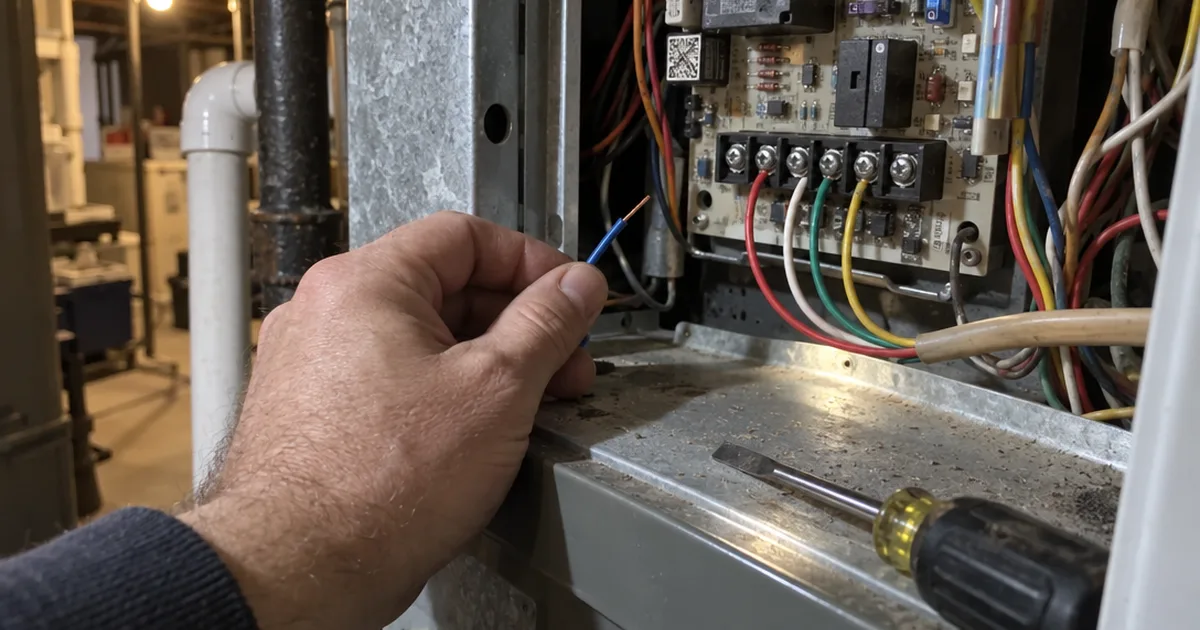
This week, pull the cover off your wall unit and photograph the wires: that one photo tells you whether #1 or #7 fits your home.