Up to 26% off your heating and cooling costs.
That’s the savings ecobee advertises for its ENERGY STAR-certified thermostat.
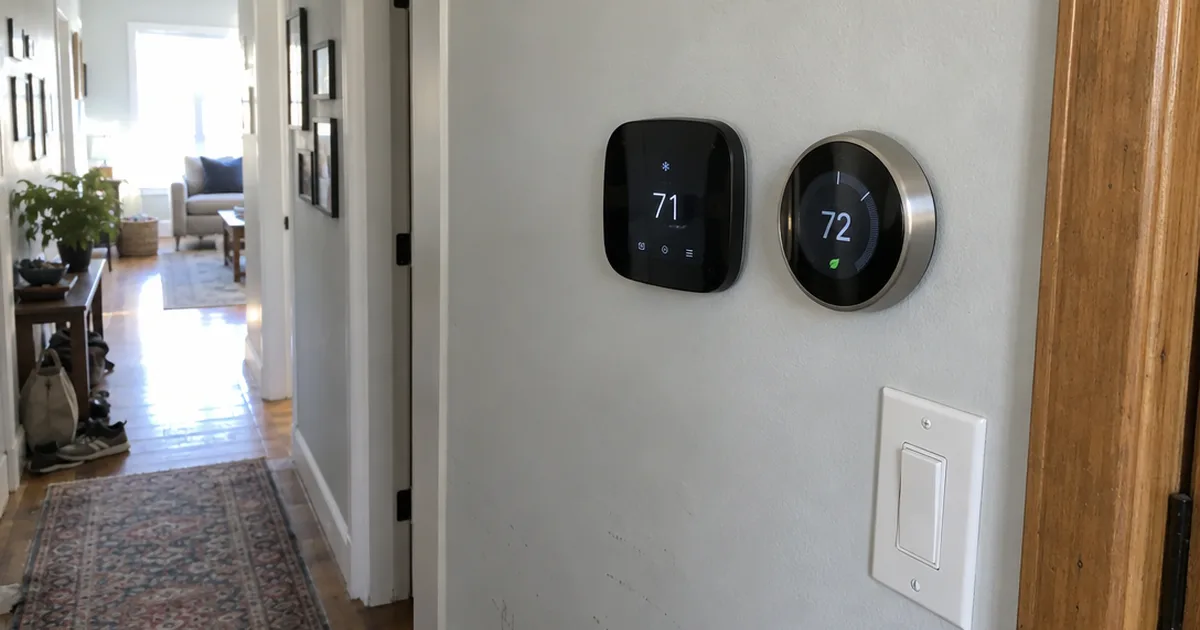
But in the ecobee vs Nest decision, savings claims barely separate the two.
What does separate them is how each one figures out where you are, what wires it needs and which smart home it plays nicely with.
Below, you’ll see each company’s models matched up, then 8 head-to-head categories with a winner for each.
Live in Google Home and hate programming schedules? Nest is built for you.
A drafty upstairs bedroom points to ecobee and its occupancy sensors.
iPhone household with HomePods around the house: ecobee, no contest.
Ecobee vs Nest at a Glance
Ecobee beats Google Nest for most homes, because ecobee’s room sensors detect people and ecobee works natively with Apple HomeKit, Amazon Alexa, Google Assistant and SmartThings. Nest wins on hands-off scheduling and easier wiring.
Here’s how the two stack up category by category:
| Category | ecobee | Google Nest | Winner |
|---|---|---|---|
| Scheduling | Your schedule plus eco+ suggestions | Learns a schedule from your changes | Nest |
| C-Wire | Needed, power kit in the box | Usually not needed | Nest |
| Room Sensors | Temperature and occupancy | Temperature only | ecobee |
| Home and Away | Built-in occupancy, one phone natively | Several phones plus Nest devices | Nest |
| Air Quality | Monitor on the Premium | None | ecobee |
| HomeKit | Native | Through Matter | ecobee |
| Energy Reports | Runtime, temperature and humidity history | Shorter history and a monthly summary | ecobee |
| Accessories | Humidifier and ventilation control on the Premium | Fewer accessory options | ecobee |
| Overall | Best for most homes | Best for hands-off owners | ecobee |
So if you only read one line, read this: pick ecobee for comfort room by room, and Nest for a thermostat you never have to program.
Every row above gets its own section below, so you can jump to the ones that matter for your house.
What Is an ecobee Thermostat?
An ecobee is a Wi-Fi smart thermostat with a square touchscreen that runs a schedule you set, then trims it based on who’s home.
The company sells three current models, from simple to loaded:
- ecobee Smart Thermostat Essential: the entry model, with a smaller screen and fewer extras.
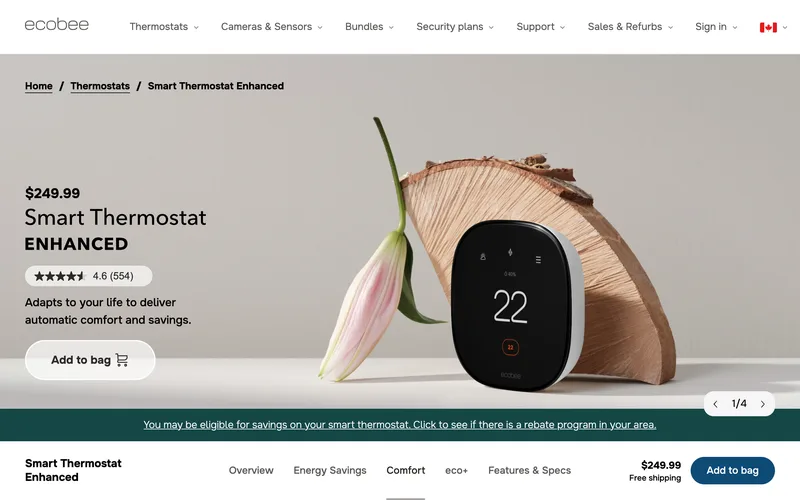
- ecobee Smart Thermostat Enhanced: the middle model, with radar that senses when you’re home.
- ecobee Smart Thermostat Premium: the flagship, with an air quality monitor, a built-in Alexa and Siri speaker and one SmartSensor in the box.
That middle model is the one most buyers end up weighing against a Nest.
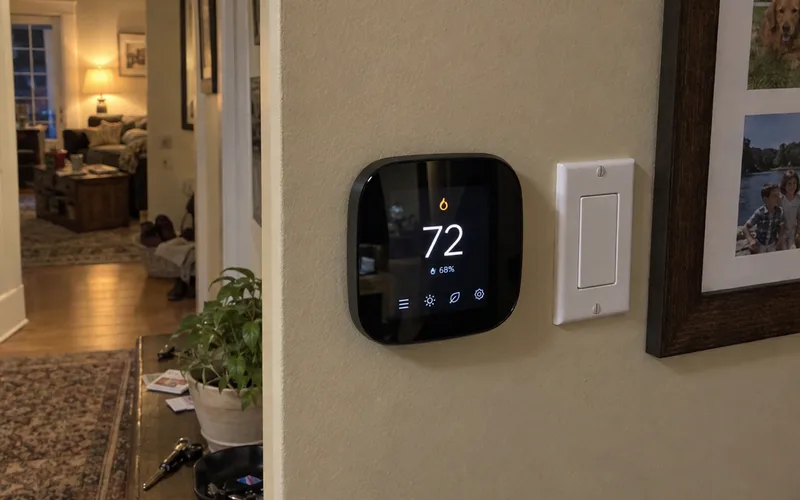
On the wall, every ecobee has the same rounded-square shape, a bit like an oversized smartwatch. The touchscreen gives you most settings right at the thermostat, so you don’t need the app for everyday changes.
According to ecobee’s product page, the Enhanced uses radar for occupancy sensing, has a 50% larger display than before and is backed by a 3-year warranty.
The same page says it’s hardwired, so you never swap batteries, and that new features arrive through software updates.
So what’s it like to live with?
Expect more settings than you’d ever touch on a Nest, starting with Comfort Settings such as Home, Away and Sleep that you assign to each part of the day.
The Enhanced also doubles as the hub for ecobee Smart Security, a paid add-on that turns the thermostat into a home monitoring base. The same page says it can even hear your smoke alarm go off while you’re away and send you an alert.
The ecobee App
Most of your day-to-day control happens in the ecobee app, and it has a strong track record.
Ecobee says its app is rated 4.7 out of 5 by 232,000 users across the Apple App Store and Google Play. Keep in mind that’s the company quoting its own store ratings.
The app shows your schedule as a calendar and runs on a phone, tablet or Apple Watch. Before a trip, you can set Vacation Mode with dates and temperatures.
In other words, ecobee is the tinkerer’s thermostat: you set the rules, and it fills in the gaps. The ecobee thermostat lineup shows each model in more depth.
What Is a Google Nest Thermostat?
A Google Nest thermostat is a round Wi-Fi smart thermostat from Google that’s known for building its own schedule.
Google sells two current models:
- Google Nest Thermostat: the budget model, with a plain plastic ring, manual scheduling and no support for Nest Temperature Sensors.
- Google Nest Learning Thermostat (4th gen): the flagship, with curved glass, a metal ring you turn, radar motion sensing and one temperature sensor.
The Learning model is the real rival to ecobee.
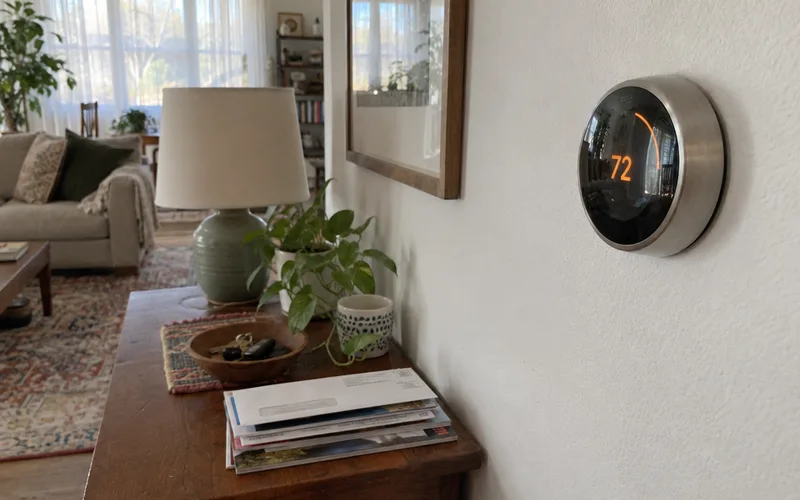
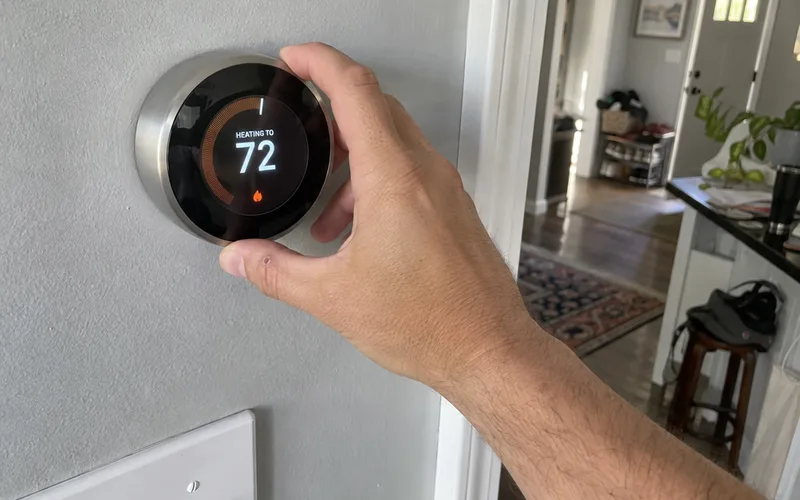
The look is a big part of the appeal: it’s a modern take on the classic round thermostat. You change the temperature by turning its metal ring, not by tapping a screen.
Here’s how it works:
At first, you simply adjust the temperature whenever you feel too warm or too cool.
The Nest uses machine-learning algorithms to turn those changes into an automatic schedule, and it keeps adjusting as your routine and the seasons shift.
Don’t like that? You can switch learning off and run a normal schedule instead.
Day to day, you control a Nest from the Google Home app, the same app that runs Google’s speakers, cameras and doorbells. That’s handy if you already use those, and one more app to learn if you don’t.
Nest’s other big strength is wiring. Most Nest installs don’t need a C-wire, because the thermostat draws power from the HVAC wires you already have.
The trade-off is a narrower feature set. There’s no air quality sensor, no built-in voice speaker and no occupancy sensing in the remote sensors.
The Nest thermostat lineup covers each model, and the 4th gen vs 3rd gen comparison helps if you’re upgrading an older Nest.
Which ecobee Model Compares to the Nest Learning Thermostat?
The ecobee Smart Thermostat Premium is the closest match to the Nest Learning Thermostat (4th gen), since both are their brand’s flagship and both include one remote sensor.
The budget models line up too.
Here’s the matchup:
| ecobee model | Closest Nest | Sensor in the box |
|---|---|---|
| Essential | Nest Thermostat | None |
| Enhanced | Nest Learning Thermostat | ecobee none, Nest one |
| Premium | Nest Learning Thermostat | One each |
At the budget end, the basic Nest Thermostat and the ecobee Essential both skip remote sensors. The Nest also drops the learning schedule, so it works more like a simple app-controlled thermostat.
The Enhanced row is where people get tripped up.
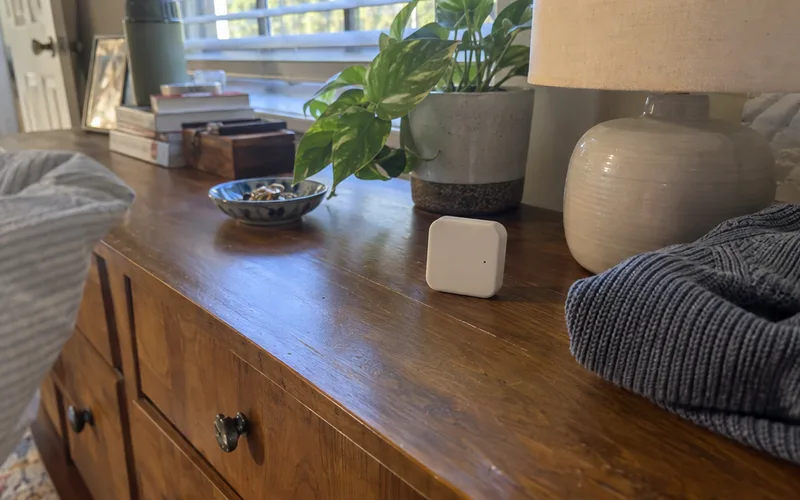
Ecobee’s product page says the Enhanced works with SmartSensors that are sold separately, so its room-by-room comfort costs extra.
The Nest Learning Thermostat already includes a temperature sensor. That makes the Enhanced and the Learning model closer on value than the spec sheets suggest.
So which tier should you pick?
- Pick the Premium if you want occupancy sensors out of the box, the air quality monitor or a built-in Alexa speaker.
- Pick the Enhanced if you want ecobee’s scheduling and radar occupancy at the thermostat, and plan to add sensors later.
- Pick the Essential only for a simple swap where you’ll never add sensors.
The Essential vs Enhanced vs Premium breakdown goes feature by feature if you’re stuck between two tiers.
Key Takeaway: compare the Premium with the Nest Learning Thermostat, and the Essential with the basic Nest Thermostat.
Installation, C-Wires and Heat Pumps
Ecobee needs a C-wire or its included adapter, while Nest usually runs on the wires you already have.
That one difference decides a lot of purchases.
Do ecobee and Nest Need a C-Wire?
Yes for ecobee, usually no for Nest.
A C-wire, or common wire, is the part of your thermostat’s electrical wiring that keeps steady low-voltage power flowing. That power keeps the screen and Wi-Fi on.
The thermostat C-wire guide shows how to spot one behind your old thermostat.
The quick check: switch off power, pull the old thermostat off its base and read the letters beside each terminal.
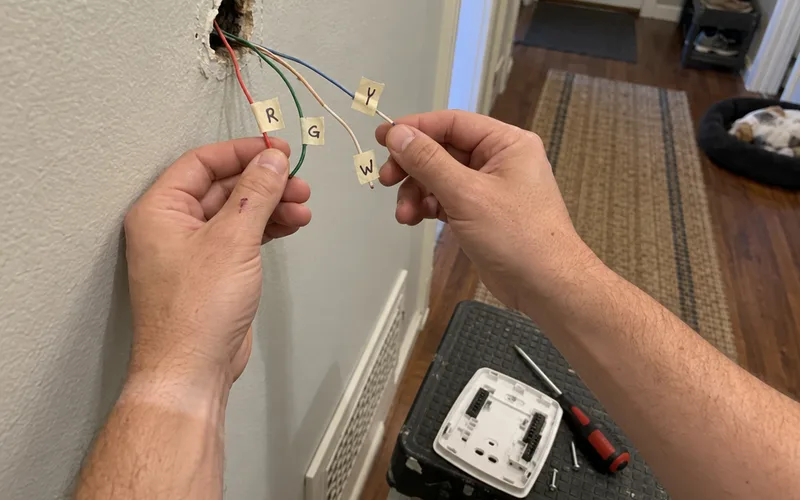
A wire on the terminal marked C means you’re set for either thermostat. No wire there means you’ll use ecobee’s power kit or lean toward a Nest.
Ecobee won’t run without one.
Instead, it ships with a Power Extender Kit, or PEK. That small adapter goes inside your furnace or air handler and creates the missing power line.
Nest takes another path. It sips power through your existing thermostat wires, a trick installers call power stealing.
That works in most homes.
In some systems, though, power stealing makes the HVAC system behave erratically. Google sells a separate Nest Power Connector for those cases, and it does the same job as ecobee’s PEK.
What does that mean for you?
If you have no C-wire and don’t want to open the furnace, Nest is the easier install. Other thermostats that skip the C-wire exist too, if neither one fits.
If you’re comfortable connecting a few wires at the HVAC control board, the ecobee Power Extender Kit install removes the problem for good.
Note: turn off power to the furnace at its switch or breaker before you touch the control board.
Is ecobee or Nest Better for a Heat Pump?
Ecobee is the safer choice for a heat pump with auxiliary heat or a multi-stage system.
Ecobee and Nest both handle heat pumps and multi-stage equipment. But ecobee handles more complex setups, such as heat pumps with backup heat, boilers, humidifiers and dehumidifiers.
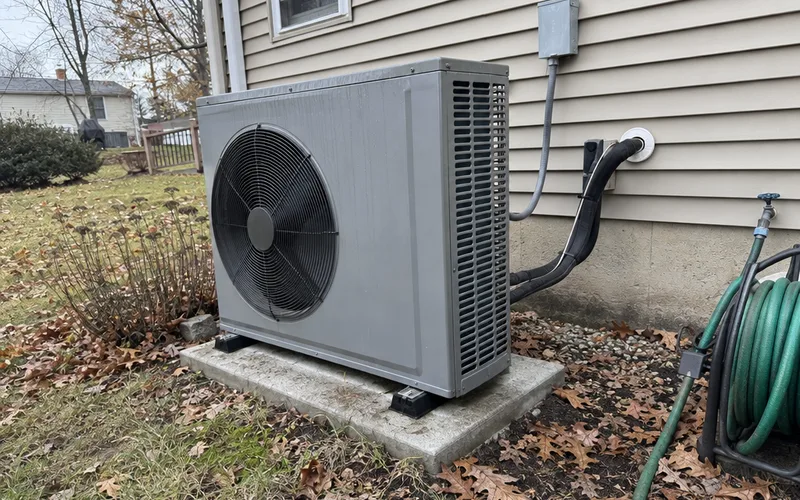
The Premium adds an accessory terminal for a whole-home humidifier or a ventilator such as an HRV or ERV. Older budget models from both companies left that terminal out, so check for it before you buy a cheaper model.
So if you have a heat pump with auxiliary heat, plan on ecobee or plan on adding the Nest Power Connector. Run your system through the Nest compatibility checker steps before you buy a Nest for anything beyond a basic single-stage system.
Scheduling: Nest Learning vs ecobee eco+
A Google Nest Learning Thermostat builds your schedule for you, while an ecobee runs the schedule you write and suggests changes through its eco+ features.
That’s the philosophical split between the two.
With Nest, the Auto-Schedule feature learns from every adjustment. You never sit down and program anything, which is great until it decides you wanted 68 degrees at 6 a.m. and you didn’t.
With ecobee, you set Home, Away and Sleep times yourself, much like an old programmable thermostat.
Then ecobee’s eco+ features layer on top. Ecobee’s product page lists these:
- Schedule Assistant: recommends schedule changes based on your routine.
- Smart Home & Away: uses the built-in occupancy sensor to adjust when you leave and return.
- Time of Use: shifts heating and cooling to cheaper electricity periods where your utility offers them.
- Community Energy Savings: trims usage slightly during peak demand.
The same page says the thermostat also adjusts for indoor humidity, so 72 degrees feels like 72 degrees.

If you like knowing exactly when your system will switch on, ecobee’s approach is easier to trust.
Geofencing and Home/Away
Geofencing uses your phone’s location to tell the thermostat when you’ve left. It’s one of the simplest ways to stop heating an empty house.
Here, Nest has the edge.
Its Home/Away system can follow several family members’ phones. It also checks motion from the thermostat and other Nest gear, so it won’t switch to Away while someone’s still home.
Ecobee’s native geofencing follows only one phone. Its occupancy sensors still catch people at home, but the two features don’t combine as neatly.
Apple users can get around that by building multi-person home and away automations in the Home app through HomeKit.
In other words, a busy multi-phone household gets smoother home and away behavior from Nest.
Room Sensors and Air Quality
Ecobee’s SmartSensors detect both temperature and occupancy, while Nest Temperature Sensors only read temperature, so ecobee does a better job with rooms that run hot or cold.
That’s the biggest hardware gap between ecobee and Nest.
Why does it matter?
Say your thermostat sits in a sunny hallway, but you sleep in a cold back bedroom.
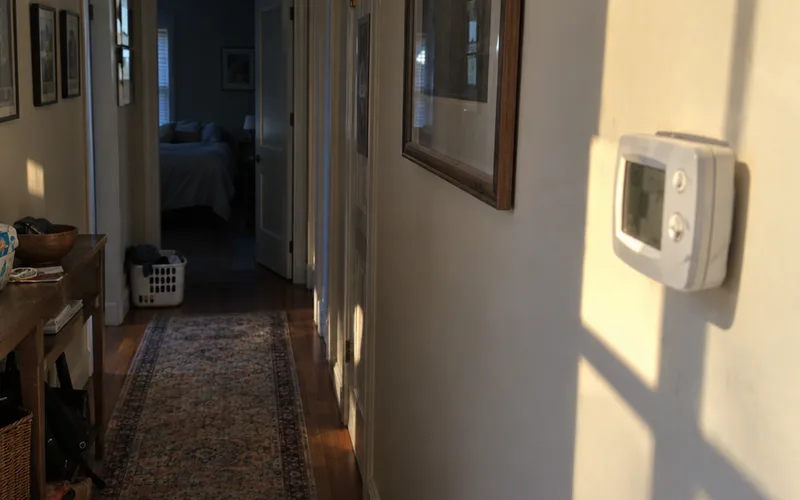
With ecobee, put a wireless SmartSensor in that bedroom. The Follow Me feature then aims for the right temperature in the rooms where it detects people, and ignores empty ones.
You can also tie a sensor to a Comfort Setting. Set only the bedroom sensor to count during Sleep, and the thermostat heats or cools to that one room overnight.
With Nest, a temperature sensor lets the thermostat read another room and balance the temperature toward it. It can’t tell whether anyone is actually in that room.
Ecobee’s sensors bring 2 more benefits:
- Motion triggers: the sensors show up in apps such as Amazon Alexa, so motion can start other automations.
- Security: with ecobee Smart Security, the same sensors act as motion detectors for break-in alerts.
Key Takeaway: if hot and cold rooms are your main problem, ecobee’s occupancy sensors are the reason to buy it.
Air Quality Monitoring
Only the ecobee Smart Thermostat Premium has a built-in air quality monitor, and no Nest thermostat has one.
The Premium’s sensor tracks volatile organic compounds, or VOCs, the fumes from cooking, cleaning products and paint. It also estimates carbon dioxide from those readings, and it reminds you when to change your furnace filter.
Is that worth paying for?
For most homes it’s a nice extra, not a reason to buy. A plug-in air quality monitor covers the same need for most rooms.
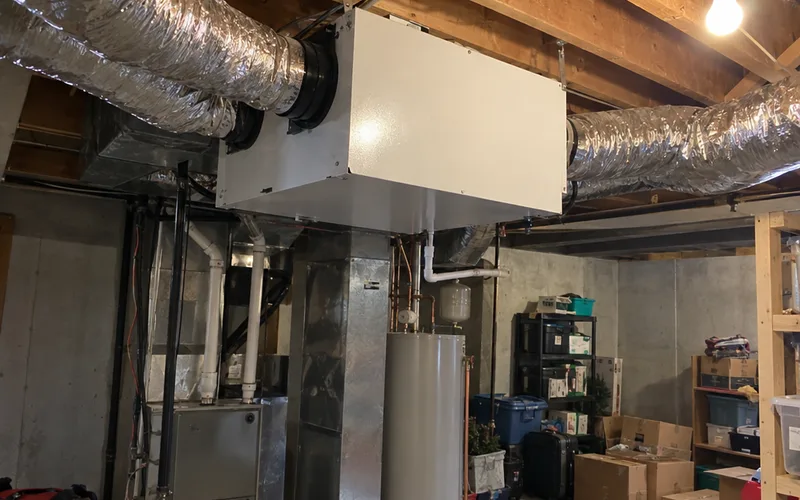
It earns its keep in one case: when you have an air exchanger, such as an HRV or ERV, wired to the Premium’s accessory terminal. Swapping indoor air for outdoor air costs energy, so a sensor that runs the exchanger only when the air needs it can cut wasted runtime.
So if you have a ventilator, the Premium is the only one of these thermostats that can run it from air quality readings.
Smart Home Support: HomeKit, Alexa, Google and Home Assistant
Ecobee is the better choice for Apple HomeKit and Amazon Alexa homes, while a Google Nest thermostat fits best in a Google Home setup.
Ecobee’s product page lists Apple HomeKit, Amazon Alexa, Google Assistant and SmartThings among the platforms the Enhanced works with.
Nest works best with Google’s own speakers and displays, and it supports Amazon Alexa too.
HomeKit is the big gap. Nest reaches it through Matter, the newer cross-brand standard, instead of a native connection.
The smart home protocols guide explains how Matter works and why a Matter connection usually exposes fewer controls than a native one.
Here’s how each platform shakes out:
- Apple HomeKit and Siri: ecobee. The Premium can even work as a Siri speaker with a HomePod or HomePod mini in the house.
- Amazon Alexa: ecobee. The Premium has Alexa built in and can play Spotify, though Nest works with Alexa too.
- Google Home and Google Assistant: Nest, by a hair. Both work, but Nest is Google’s own product.
- Home Assistant: both work. Owners run either thermostat on a Home Assistant dashboard, and the best thermostats for Home Assistant roundup covers which integrates most reliably.
The rule of thumb: match the thermostat to the voice assistant you already talk to most.
Voice Control and the Built-In Speaker
Ecobee and Nest both take voice commands through a smart speaker or voice assistant, but only the ecobee Premium has a speaker built in.
That speaker lets you ask Alexa to change the temperature, set a timer or play music without a separate device near the thermostat. With a HomePod or HomePod mini somewhere in the house, it can answer as Siri instead.
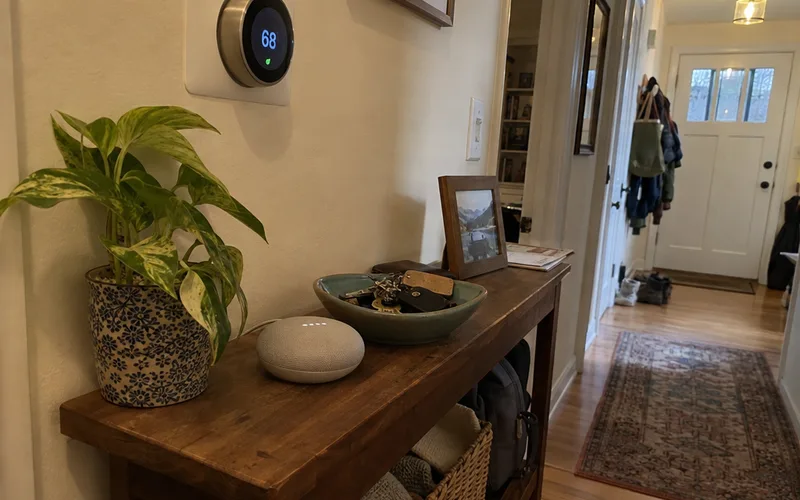
Nest has no speaker of its own. You talk to a Google Nest speaker, an Echo or your phone, and the command reaches the thermostat from there.
Which setup is better depends on what’s already in your hallway.
If there’s no smart speaker near the thermostat, the Premium saves you buying one.
If you already own smart speakers in every room, the Premium’s speaker adds little. You can switch it off so two assistants don’t answer at once.
Energy Savings: Which Saves More?
Neither ecobee nor Google Nest clearly saves more energy, because your savings depend more on your habits, insulation and HVAC system than on the thermostat brand.
As of October 2026, ecobee’s product page says the Smart Thermostat Enhanced is ENERGY STAR certified to save up to 26% on heating and cooling costs.
That “up to” figure is a best case: the same page measures it against holding 72°F all day.
Google makes its own savings claims for Nest, and both are ENERGY STAR certified. So the honest answer is that each thermostat saves the most when you let its energy efficiency features run.
Here’s what actually cuts energy consumption:
- Setbacks: lowering heat or raising cooling while you’re out or asleep.
- Away mode: spotting an empty house by phone location or motion, then easing off.
- Utility programs: ecobee’s Time of Use and Community Energy Savings, if your utility has them.
Energy Reports
The bigger difference is in what each thermostat tells you afterward.
Ecobee’s product page says its Home Energy Reports cover energy use, temperature and humidity, and system runtime. That history includes your sensors’ temperature and motion data, so you can see which rooms ran warm and when the system kicked on.
Nest keeps a much shorter usage history in the app. It shows when your system ran and when the set point changed, plus a monthly email that compares your usage with past months.
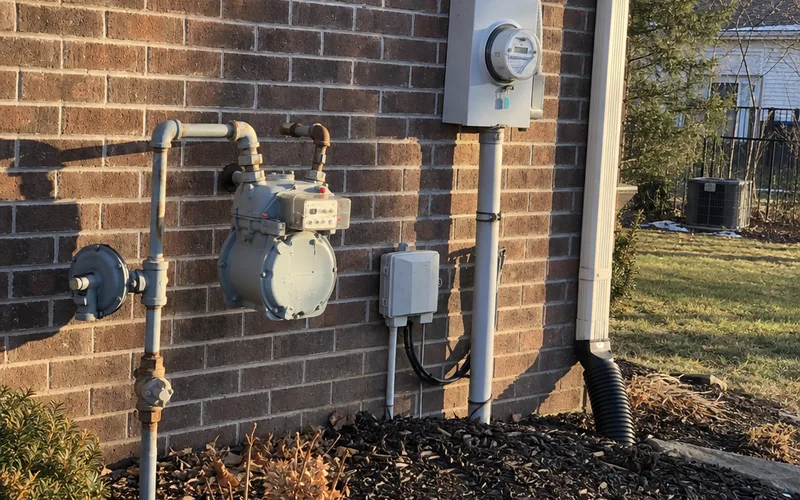
Here’s an example of why that matters. Say you lower your overnight setting by a few degrees in January and want to know if it paid off.
With ecobee, you can line up runtime for that month against the month before. With Nest, that older detail is gone.
So if you want to prove your new thermostat paid off, ecobee gives you better data to check.
Pro Tip: before you buy, search your utility’s site for “smart thermostat rebate.” ENERGY STAR models like these two often qualify.
Price and Monthly Fees
The ecobee Smart Thermostat Premium and the Nest Learning Thermostat cost about the same, and neither brand needs a monthly fee for normal heating and cooling.
Pricing changes with sales, so compare each model on ecobee’s store and the Google Store on the same day. Then add any sensors you’ll need, since the Enhanced ships without one.
Installation can cost more than the gap between the two thermostats. The smart thermostat installation cost breakdown shows what pros charge by brand.
Now the fees.
Ecobee charges only for its optional security plan. Ecobee’s product page says Pause when Open, which pauses heating or cooling when a door or window stays open 5 minutes, needs a door and window SmartSensor and an ecobee Smart Security subscription.
Everything else on that page, including scheduling, eco+ and app control, comes with the thermostat.
Nest doesn’t need a subscription for heating and cooling either. Google’s paid extras are optional.
That means you can buy either one without signing up for anything. Just skip ecobee Smart Security unless you want the thermostat to double as an alarm hub.
Can You Replace a Nest With an ecobee?
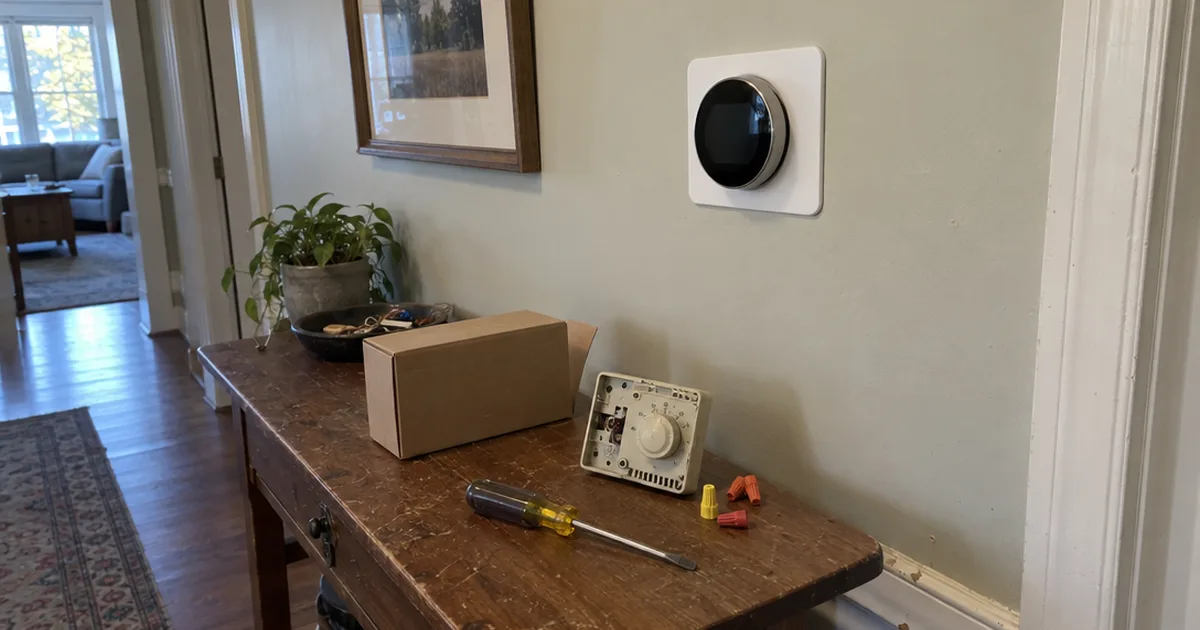
Yes, you can replace a Nest with an ecobee on the same wires, as long as you have a C-wire or install the ecobee’s Power Extender Kit.
The wiring is the only part that needs care.
Ecobee’s product page says everything needed is in the box and most installs take around 45 minutes.
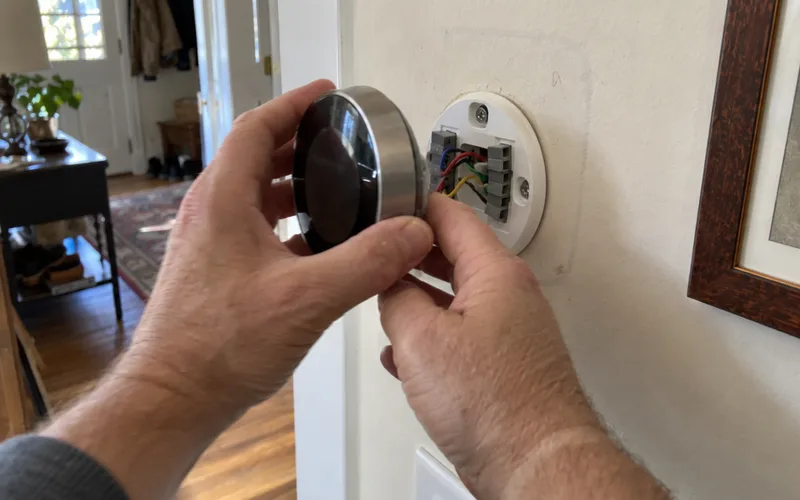
Here’s the order to do it in:
- Turn off power to the furnace or air handler at its switch or breaker.
- Photograph the wires on the Nest base, then label each one with the letter on its terminal.
- Check for a C-wire. No C-wire means connecting the PEK first.
- Mount the ecobee base, connect the labeled wires and snap the thermostat on.
- Remove the Nest from the Google Home app so it stops sending alerts.
Each ecobee model mounts a little differently, and the Enhanced installation walkthrough covers that model’s base, wiring and setup in order.
What about your Nest sensors?
They won’t work with an ecobee, so plan on buying ecobee SmartSensors for the rooms you care about.
If you’re also weighing a third option, the ecobee vs Honeywell comparison covers Honeywell’s thermostats the same way. The Amazon thermostat vs Nest matchup covers a cheaper Alexa-first option.
Who Should Choose ecobee
Ecobee is the right choice for homes with uneven room temperatures, Apple HomeKit or Alexa households and heat pumps with auxiliary heat.
Choose ecobee if any of these sound like your house:
- You have hot and cold rooms and want sensors that know which rooms are in use.
- You use HomeKit or Siri, or want a thermostat that doubles as an Alexa speaker.
- You have a heat pump with auxiliary heat, a humidifier or a ventilator to control.
- You like setting your own schedule and checking detailed energy reports.
- You want the thermostat to act as a hub for a home security system.
Skip ecobee if you have no C-wire and won’t open up your HVAC equipment, or if you know you’ll never touch the extra settings. In both cases, you’d pay for features you won’t use and take on a harder install.
Who Should Choose Nest
A Google Nest thermostat is the right choice for owners who want a schedule that programs itself, homes without a C-wire and households already built on Google Home.
Choose Nest if any of these sound like your house:
- You want a thermostat that programs itself and you’ll rarely open the app.
- You have no C-wire and don’t want to touch the HVAC equipment.
- Your home already runs on Nest speakers, displays or cameras.
- Several people come and go, and you want home and away to follow every phone.
- You care about a minimal round design on the wall.
Skip Nest if you’re an iPhone and HomeKit household, have rooms that run hot or cold, or want a fixed schedule that never changes on its own. Those are the 3 places where Nest’s design choices work against you.
Frequently Asked Questions
Is there a monthly fee for ecobee?
No, an ecobee thermostat doesn’t need a monthly fee for heating, cooling, scheduling or app control. The fee applies only to ecobee Smart Security features: ecobee’s product page says Pause when Open needs a door and window SmartSensor and a Smart Security subscription.
Can I replace a Nest with an ecobee?
Yes, you can replace a Nest with an ecobee on the same wires, as long as your system has a C-wire or you install the Power Extender Kit that comes in the ecobee box. Label each wire as you take the Nest off, and expect the Nest temperature sensors to stop working with the new thermostat.
What are the drawbacks of a Nest thermostat?
The main drawbacks of a Nest thermostat are temperature-only room sensors, no air quality monitoring and HomeKit support that goes through Matter instead of working natively. Its learning schedule also changes on its own, which frustrates people who want a fixed timetable.
Do ecobee thermostats work well?
Yes, ecobee thermostats work well for most central heating and cooling systems, and their occupancy-sensing SmartSensors are their biggest advantage over Nest. Expect a learning curve, since ecobee has far more settings than a Nest.
Which is better for Apple HomeKit, ecobee or Nest?
Ecobee is better for Apple HomeKit, because ecobee lists HomeKit as a native platform and the Premium model can even act as a Siri speaker. Nest reaches HomeKit only through Matter, which gives you fewer controls.
Is the ecobee Premium worth it over the Nest Learning Thermostat?
The ecobee Smart Thermostat Premium is worth it if you want room sensors that detect occupancy, an air quality monitor or a built-in Alexa speaker. If you want a thermostat that programs itself with no C-wire, the Nest Learning Thermostat is the better buy.
Final Thoughts
For most homes, ecobee wins this matchup on room sensors and smart home support.
Nest wins if you want a thermostat that programs itself, especially without a C-wire.
This week, pull your current thermostat’s cover and photograph the wires.
That one photo tells you which of the two you can install today.